
Malware Protection
Malware Protection
Does a file/page contain malware?
You can upload files to VirusTotal or have a specific URL checked. You will then receive the opinion of various antimalware programs as to whether the application/URL is malicious or not.
If you have a link to a page and you are not sure whether it contains malware and you want to see its content, you can use the screenshotmachine, a service which will take a screenshot of the page without risking infecting your device by visiting it.
Antimalware solution
Recently, Windows Defender (also known as Microsoft Defender or Windows Security) has been shown to be more effective than most commercially available antimalware solutions. Moreover, it is a product that is already installed on your Windows computer and you do not need to buy it, you just need to configure it correctly. However, this statement applies only for Windows 10 operating system or newer. Therefore, if you have the Windows 10 operating system, you can configure your Defender and uninstall other antimalware solutions, because multiple antimalware programs on one machine worsen the impact on security.
As part of the configuration, we will enable enhanced blocking of untrusted programs, Office and Acrobat protection, and certificate protection.
You can configure this via Group Policy as follows:
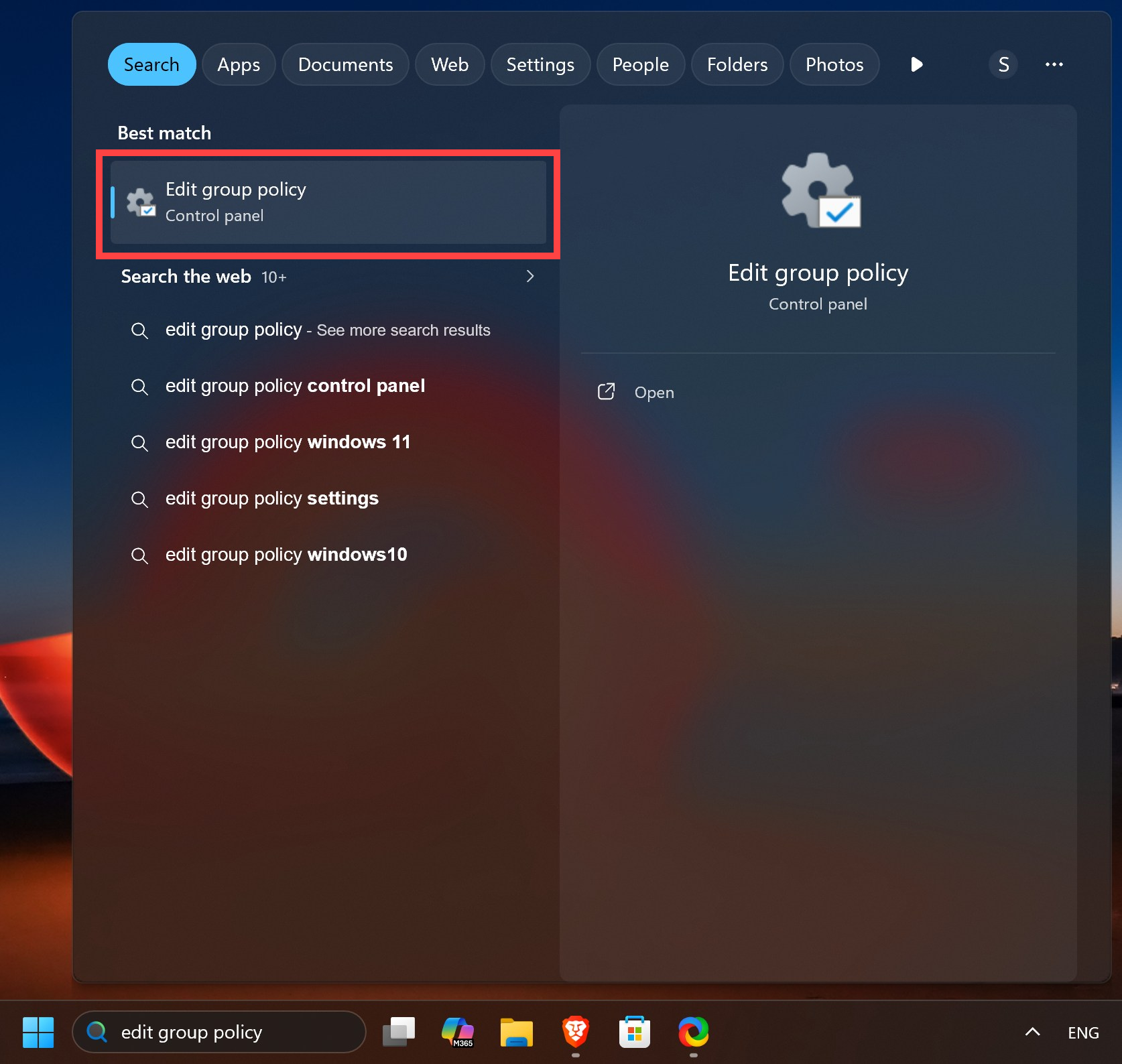
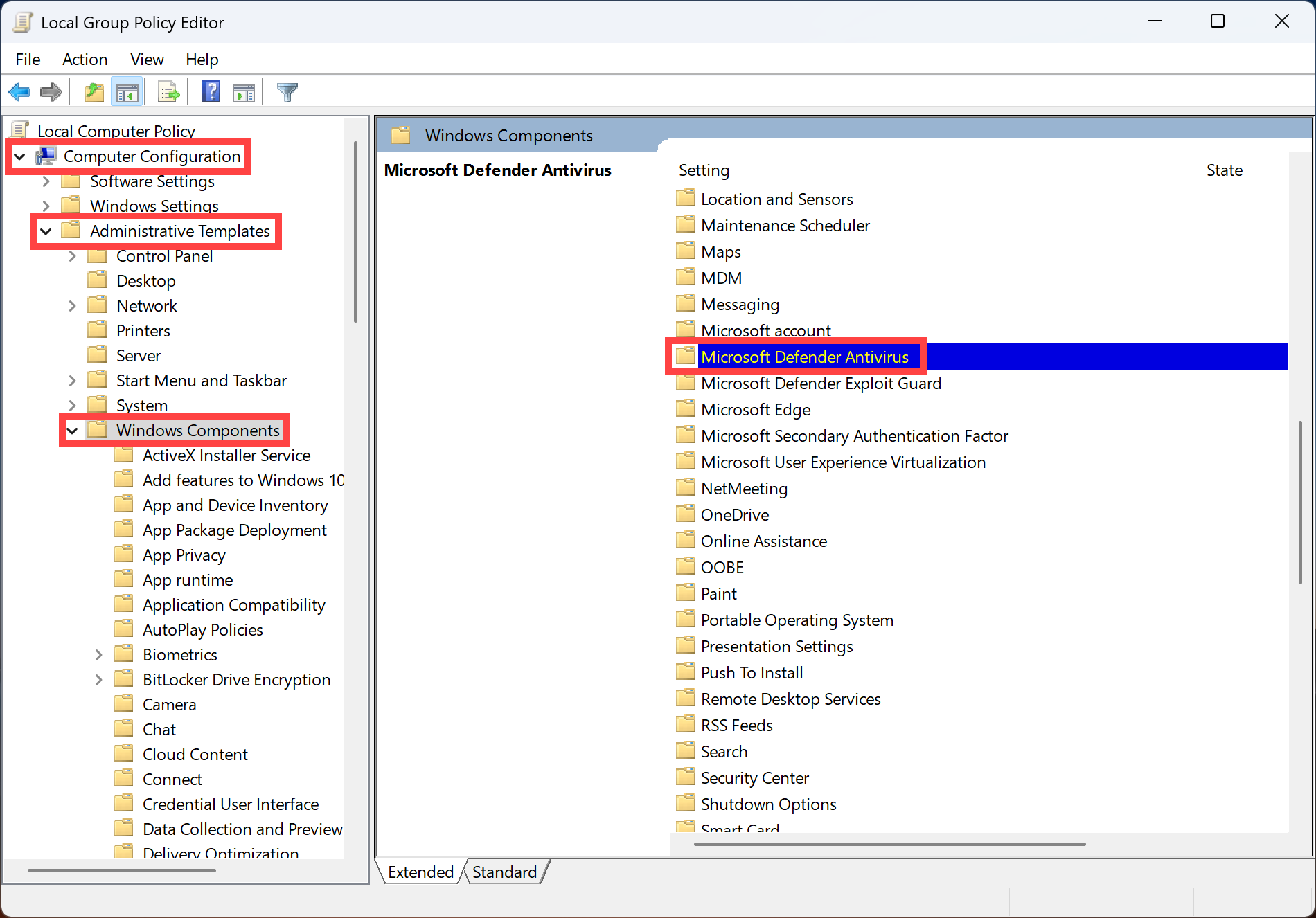
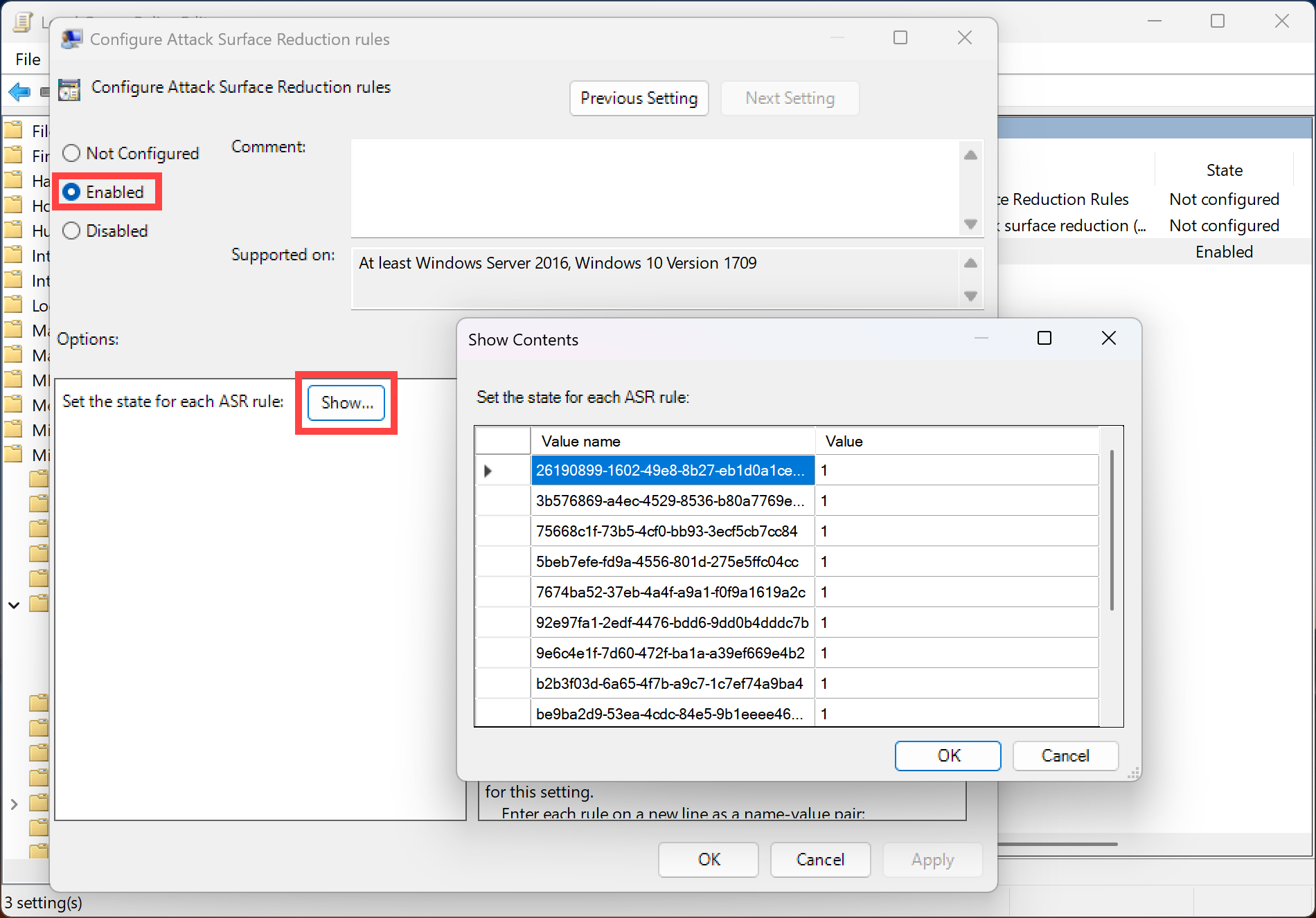
Next, go to the Windows Defender Exploit Guard, Attack Surface Reduction directory, and finally select the Configure Attack Surface Reduction rules setting. A settings dialog box will appear, copy the following values there and add 1 to each of them:
For malware blocking:
- 01443614-cd74-433a-b99e-2ecdc07bfc25
- c1db55ab-c21a-4637-bb3f-a12568109d35
For Office and Acrobat protection:
- D4F940AB-401B-4EFC-AADC-AD5F3C50688A
- 3B576869-A4EC-4529-8536-B80A7769E899
- 75668C1F-73B5-4CF0-BB93-3ECF5CB7CC84
- 92E97FA1-2EDF-4476-BDD6-9DD0B4DDDC7B
- 26190899-1602-49e8-8b27-eb1d0a1ce869
- 7674ba52-37eb-4a4f-a9a1-f0f9a1619a2c
To protect certificates:
- 9e6c4e1f-7d60-472f-ba1a-a39ef669e4b2
To complete the certificate protection configuration, you can also block external communication of the program certutil.exe program. Run Windows Defender Firewall with Advanced Security, add a new rule to OutboundRules , when configuring the new rule, set it to apply only to the certutil.exe program with the path C:\Windows\System32\certutil.exe. Do the same for certutil.exe program with the path C:\Windows\SysWow64\certutil.exe..
Windows 11 also includes a new Smart App Control, feature that checks the launch of applications to see if they are from untrusted sources, etc. This feature is only available for pure Windows 11, which means the devices that already had Windows 11 when they were purchased.