Social engineering is the methods and techniques used by attackers to manipulate people to achieve their goals.
It is any type of attack that is not technical in nature and involves some type of interaction with a victim in order to try to trick or coerce them into revealing information or violating common security practices.
Attackers who use social engineering are called social engineers.
Social engineers may be motivated by:
financial gain,
obtaining personal data,
gaining unauthorized access,
bypassing established procedures,
performing social engineering simply because they can.
Phishing
Phishing is a common form of social engineering where attackers try to obtain information using fake messages via emails, chats or websites.
These messages often pretend to be legitimate and try to create a sense of urgency or fear.
Users are prompted to take various actions, such as clicking on a link or downloading an attachment.
Some phishing messages ask the recipient to verify their account credentials, saying that the link leads to a fake (not legitimate) website where they can verify this information.
This is how attackers obtain sensitive information, such as login credentials.
For an attacker, it takes a few minutes to create a perfect copy of a legitimate website, view a shortvideo.
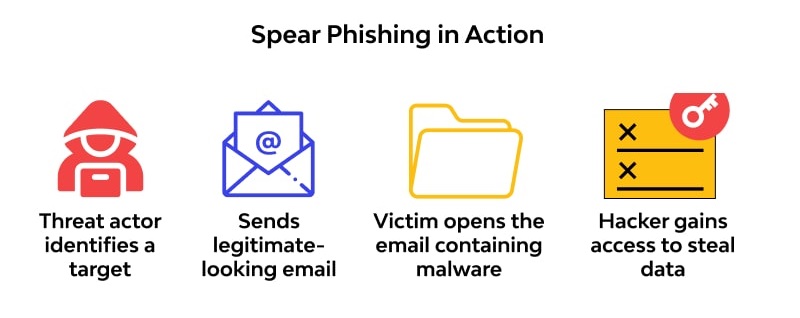
Spear phishing has the same goal as phishing, but the attacker targets specific individuals within an organization. Before launching an attack, the attacker conducts extensive research, gathers personal information, and tracks the victim’s interests through Internet searches and social media profiles. The attacker then sends phishing messages tailored to the individual, increasing the credibility of the message and the likelihood of a successful attack. Spear phishing is therefore more effective and reaches a higher percentage of victims than regular phishing.
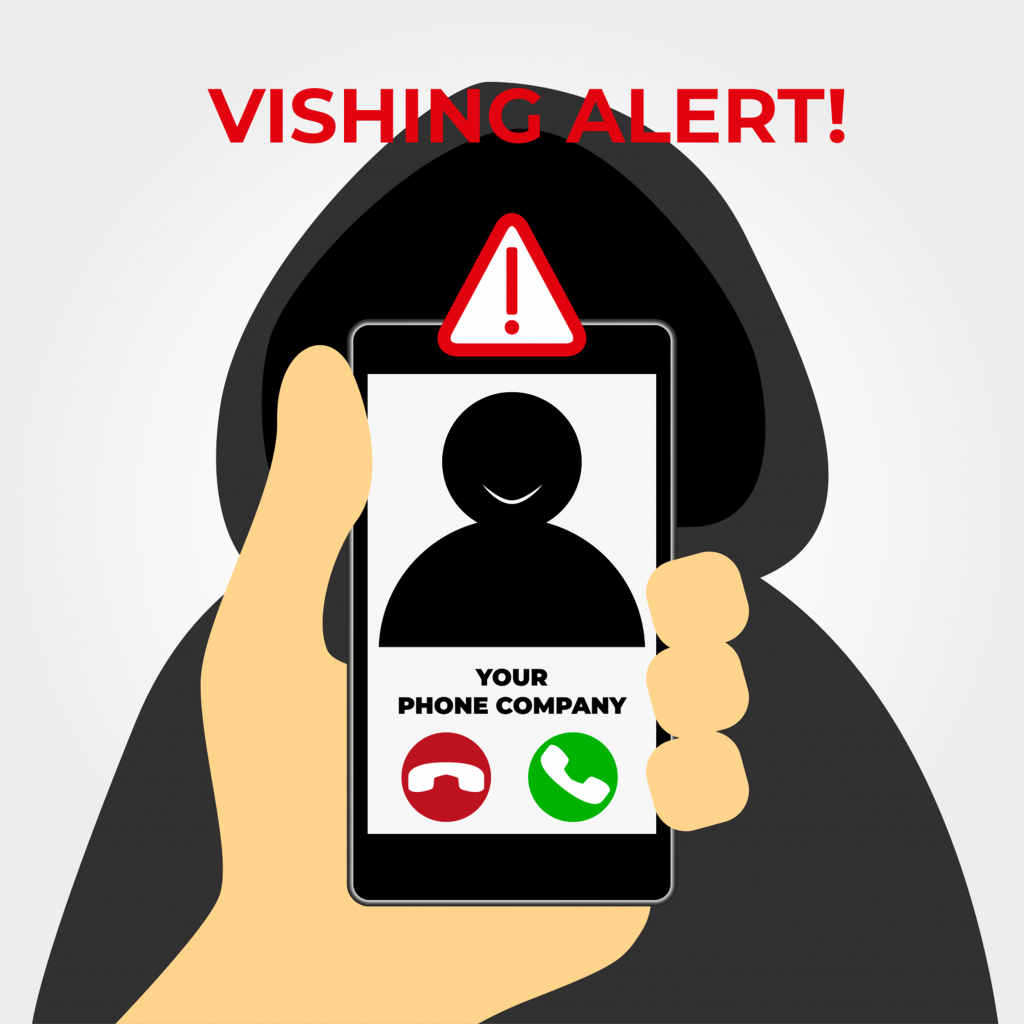
Vishing (voice phishing) is a form of social engineering in which an attacker uses a telephone conversation to obtain sensitive information or to convince the victim to perform a certain action (e.g., logging into a fake website). An example is a fake call to the IT department, where the caller pretends to be an employee of the organization who has forgotten their login details. Another case is a call from a fake IT support that claims that your device has an issue and that they can help you with it. Instead they remotely install malicious code on the device or steal sensitive information. With the fast progress of artificial intelligence attackers have started using AI voice spoofing, a technique in which they can imitate the voice of a real person using voice synthesis. All they need is a short sample of the victim's voice recording (e.g., from a video on a social network, or a phone call that was "mistakenly" constructed by the attacker) to create realistic-sounding phone calls.
How to protect yourself from vishing?
Verify the caller using information that only a legitimate person knows (e.g. internal data that is not publicly available, date of birth, identification number, etc.).
Cancel the call and call back the official number of the organization, which is usually published on the website. A common argument of social engineers is that they have a common (internal) number within the organization, and therefore it is impossible to reach them.
If you are not sure, consult the situation with the IT department or security team (CSIRT-UPJS) using official channels, or physically.
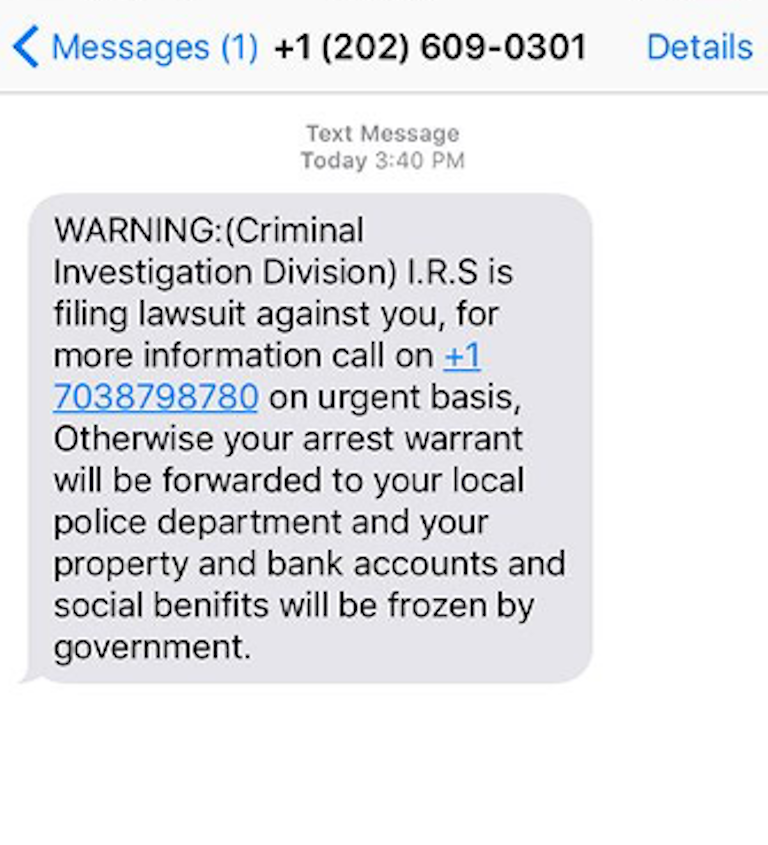
A form of phishing attack in which attackers use text messages (SMS) to fraudulently obtain sensitive information such as login details, payment card numbers or personal data. The main goal is to convince the victim to click on a malicious link or provide information via a fake page.
How does smishing work?
Text message from the attacker – The victim receives a message pretending to be from a trusted institution (bank, courier service, government agency).
Urgent tone or a prize – The message often contains threatening notifications (account blocking) or offers a prize, creating a sense of urgency.
Malicious link or number – The message contains a link to a fraudulent website or a request for a response with sensitive data.
Whaling is a specific type of phishing attack that targets high-ranking individuals in organizations, such as directors, managers, or other senior management.
Characteristics:
Target group: Top management or individuals with access to sensitive data and finances.
Personalization: Attacks are finely tailored to the victim, often containing information about the company or projects to appear trustworthy.
Purpose: Gaining access to corporate resources, sensitive data, or committing financial fraud.
Example: An attacker impersonates a CEO and asks an accountant via email to urgently transfer a large sum of money to an external account.
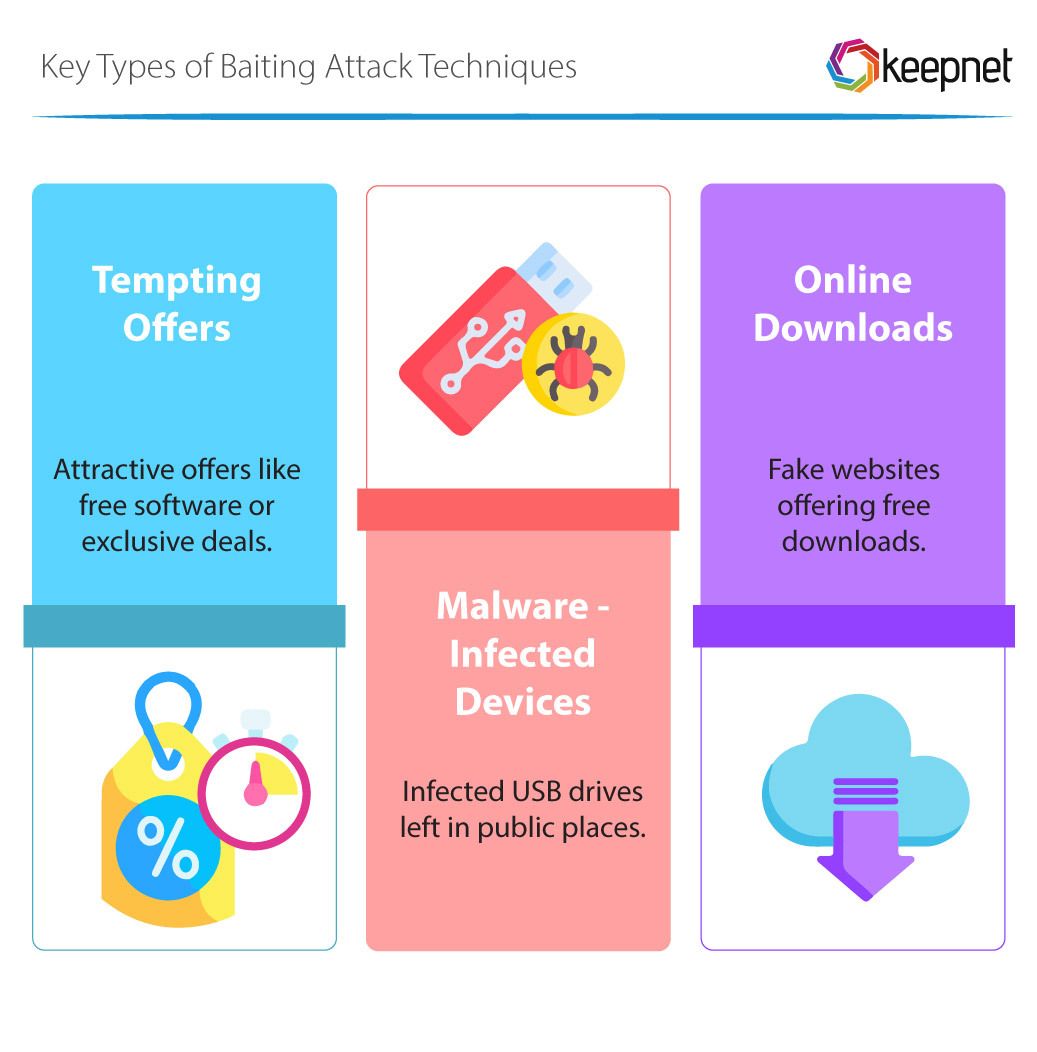
Baiting is a form of social engineering that exploits human curiosity and the desire to get something for free. Attackers offer attractive rewards in exchange for sensitive data. Baiting can take both physical and digital forms.
Example 1: Free download of programs, music or movies. This way, the attacker can obtain valuable data from a person (e.g. an email account or password that the person also uses for other services)
Example 2: Leaving a USB flash drive containing a malicious program in the open, through which the victim can download the malicious program when trying it.
Example 3: Spreading malware using torrent services.
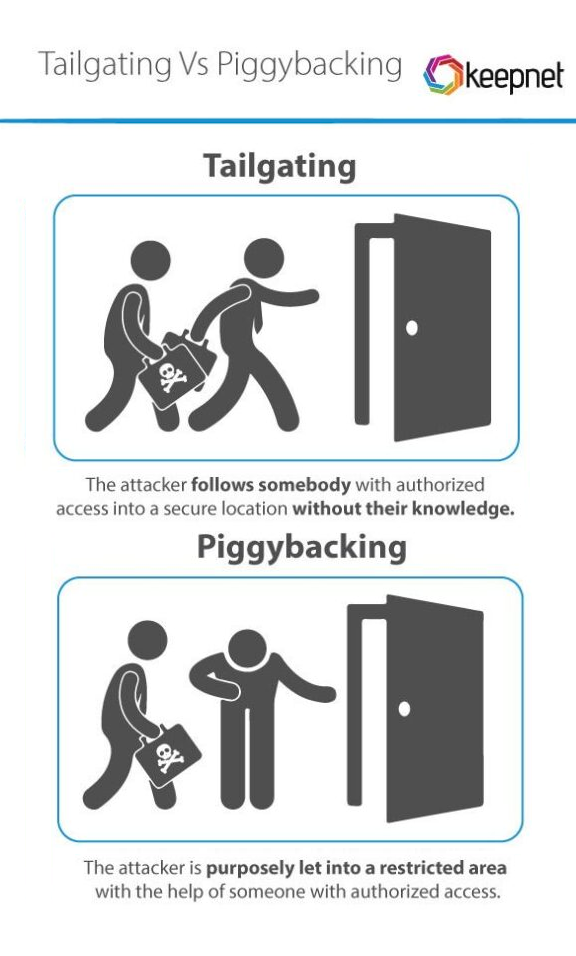
Piggybacking is a form of unauthorized access in which an attacker uses an authorized person or their device to gain access to a protected system, area, or network. This access can be physical or digital and often occurs without the authorized person’s knowledge.
Examples of piggybacking:
A typical example of physical piggybacking is when an attacker enters a secure area with an authorized person, for example by taking advantage of their willingness to hold the door.
The attacker asks an employee to lend him their laptop for a while. Then, they quickly install malicious software on it (for remote connection, to capture login details, etc.).
The attacker gains access to the system because the authorized user remains logged in on a shared device or does not lock their computer.
How to protect yourself from piggybacking?
Never allow unauthorized people to enter secure areas.
Always lock your device when you are not using it (on a Windows device, just remember the keyboard shortcut Win + L).
Don't share your computer. If you need to give someone temporary access to your computer, set up a limited guest account to prevent unauthorized changes, installations, and protect your sensitive files.
It is a cyber fraud in which fraudsters manipulate the victim over a long period of time to convince them of trust and force them to invest in a fake investment scheme.
How it works:
First contact
Fraudsters establish contact via social media, SMS, or chat apps (often pretending it was a mistake). The victim becomes the target of a long-term relationship.
Building Trust
The scammer plays the role of a friend or investment advisor and slowly convinces the victim of the benefits of investing in cryptocurrencies, stocks, or other assets
Creating a fake platform
The victim is directed to a website or app that looks like a legitimate investment platform. The platform allows you to track “investment growth,” but it’s all a scam.
Gradual investment
The victim first invests small amounts that can be "profitably" paid out, thereby increasing their confidence. Then they start investing larger amounts.
“Killing the Pig”
Once the victim deposits a large amount, the scammers disappear – blocking their access to the platform, contact, and stealing all the money.
Rules for protecting against fraudulent messages
Recognizing a fraudulent email message is not easy, but there are clues that can help you (not only with email messages, but also with other written frauds). The most common signs of a scam include:
Generic greeting: The message pretends to be from an important institution, but uses a generic greeting. (e.g. "Dear User", "Dear Client", etc.)
Spoofed sender: The message may look like it was sent by someone you know or a trusted institution, but in fact it has been forged. Check the sender's email address - scammers often use addresses that are slightly different from the official ones (e.g. "support@paypa1.com" instead of "support@paypal.com"). Since the correctness of the filled-in fields is not verified when sending the message, the attacker can even send an email with a legitimate address in the sender field, even if the real sender's address is different (this is called spoofing).
Sense of urgency: Scammers try to create panic or pressure you to act quickly. Common phrases include: “your email quota has expired,” “you need to download a new version of the program to communicate electronically with the state,” “your account will be deactivated within 24 hours.”
Grammar errors: Some scam emails contain grammatical errors or unusual wording. Although attackers today use better grammar, they often make mistakes in inflection and formality.
Fake links: Links in emails can lead to fraudulent sites that try to get you to enter your bank, work, or social account login information. Always check links in suspicious emails by hovering over them—the actual URL will appear in the bottom left corner of your screen. If you are unsure, do not log in via the provided link, but visit the service page manually. You can also ask the university security team CSIRT-UPJS for help in evaluating it by forwarding the suspicious message to csirt@upjs.sk
False information: The email may contain official-looking data, such as logos, contacts or legal wording, but the content itself is false. If in doubt, check the situation directly with the institution in question.
Malicious attachments: Fraudulent emails may contain dangerous attachments, often disguised as invoices, product offers or important documents. Opening them may lead to infection of the device with malware.
Too good to be true:If the offer seems too tempting to be true (e.g. winning the lottery, unexpected refund), it is probably fraudulent.
Image with a link:Instead of a text link, the link may be hidden in an image. Clicking on it may redirect you to a malicious website.
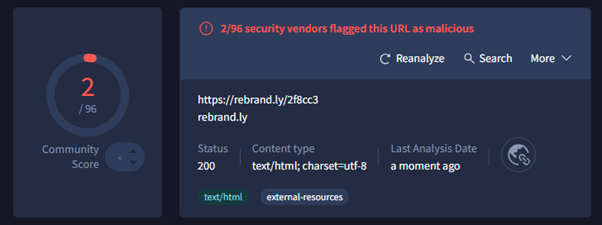
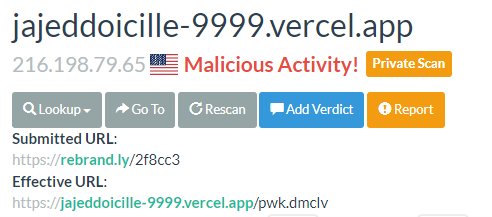
It is important to remember that banks and institutions never request sensitive data via email. It is best to ignore or delete suspicious messages. Fraudulent emails often give the impression that they are from known people or organizations. They take advantage of the fact that we trust messages from acquaintances. A thorough check is important because the sender of the email can be easily forged. To verify suspicious links, you can use web services such as virustotal.com and urlscan.io , which evaluate the level of risk of the given page after entering the URL of the link.
A sample scan of a suspicious page – VirusTotal (above) shows that the page has been flagged as malicious twice. URLScan also warns that it is a “Malicious Activity” page.