Brave browser security
Brave browser security
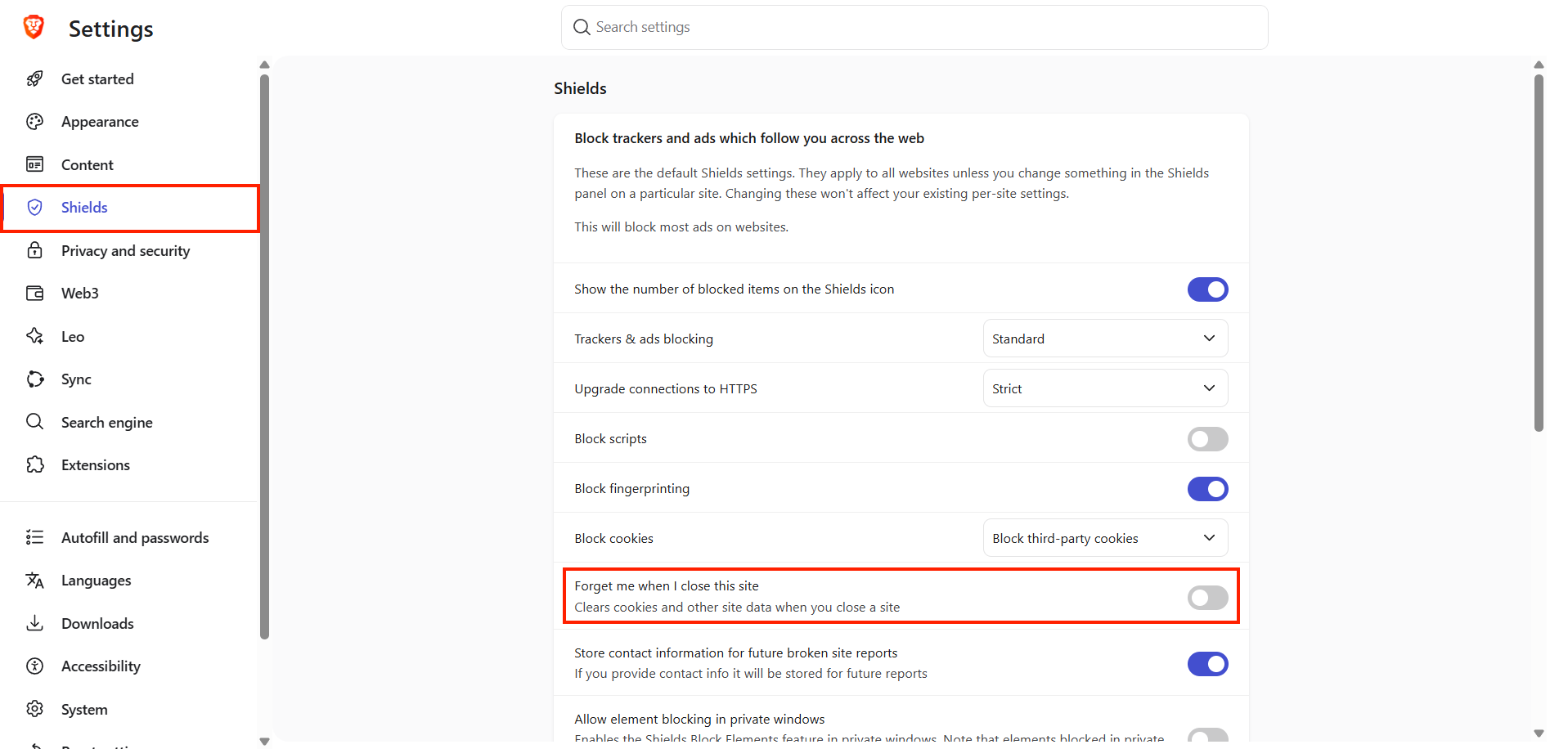
Disabling the HTTP protocol
The HTTP protocol does not use encrypted data transmission when communicating with a web server. The newer HTTPS protocol employs encrypted communication, thereby protecting sensitive data (such as login credentials, card numbers, etc.) from unauthorized access or modification.
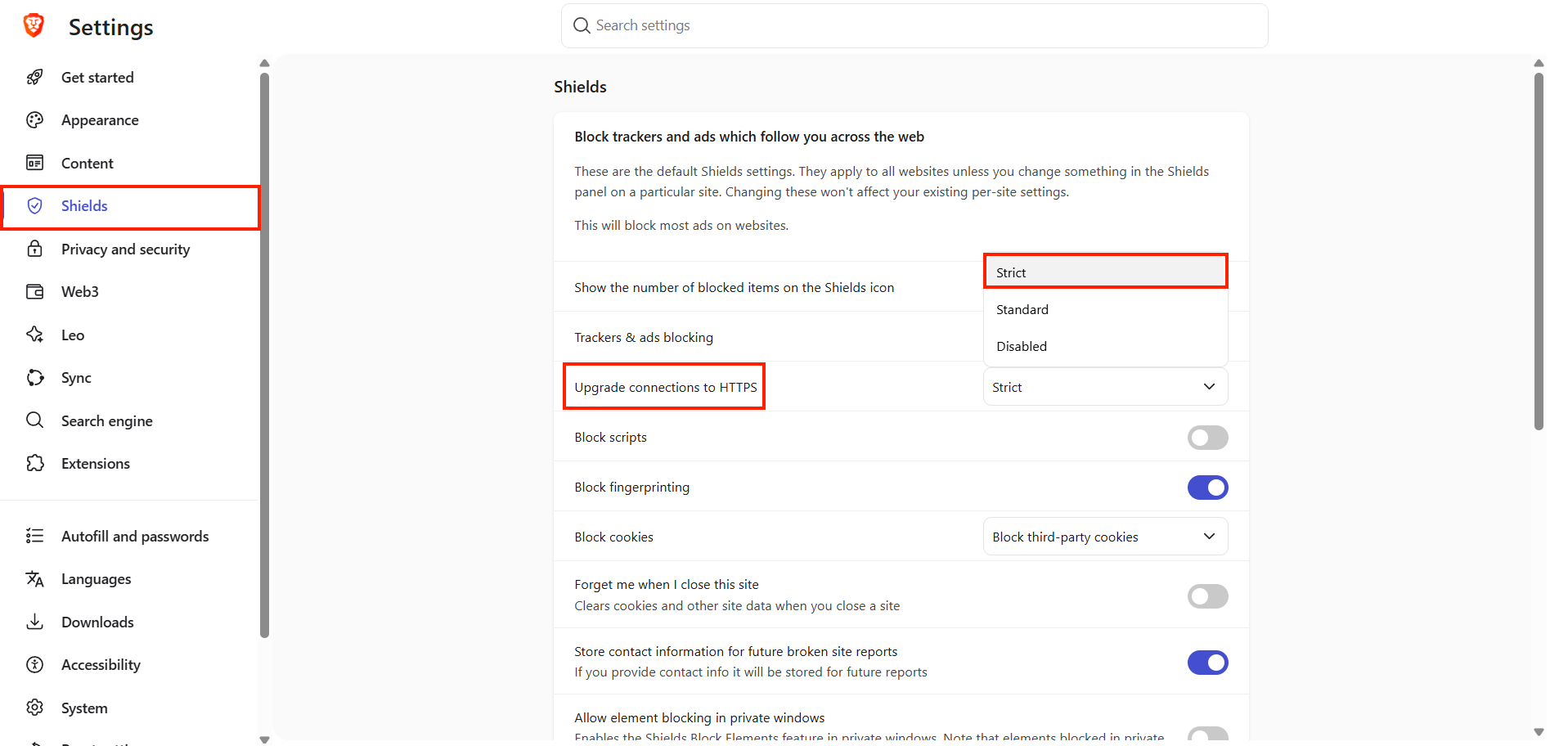
Changing the default search engine to Startpage.com
The search engine Startpage provides results drawn from Google and Bing, yet it does not collect or store data about you or your searches.
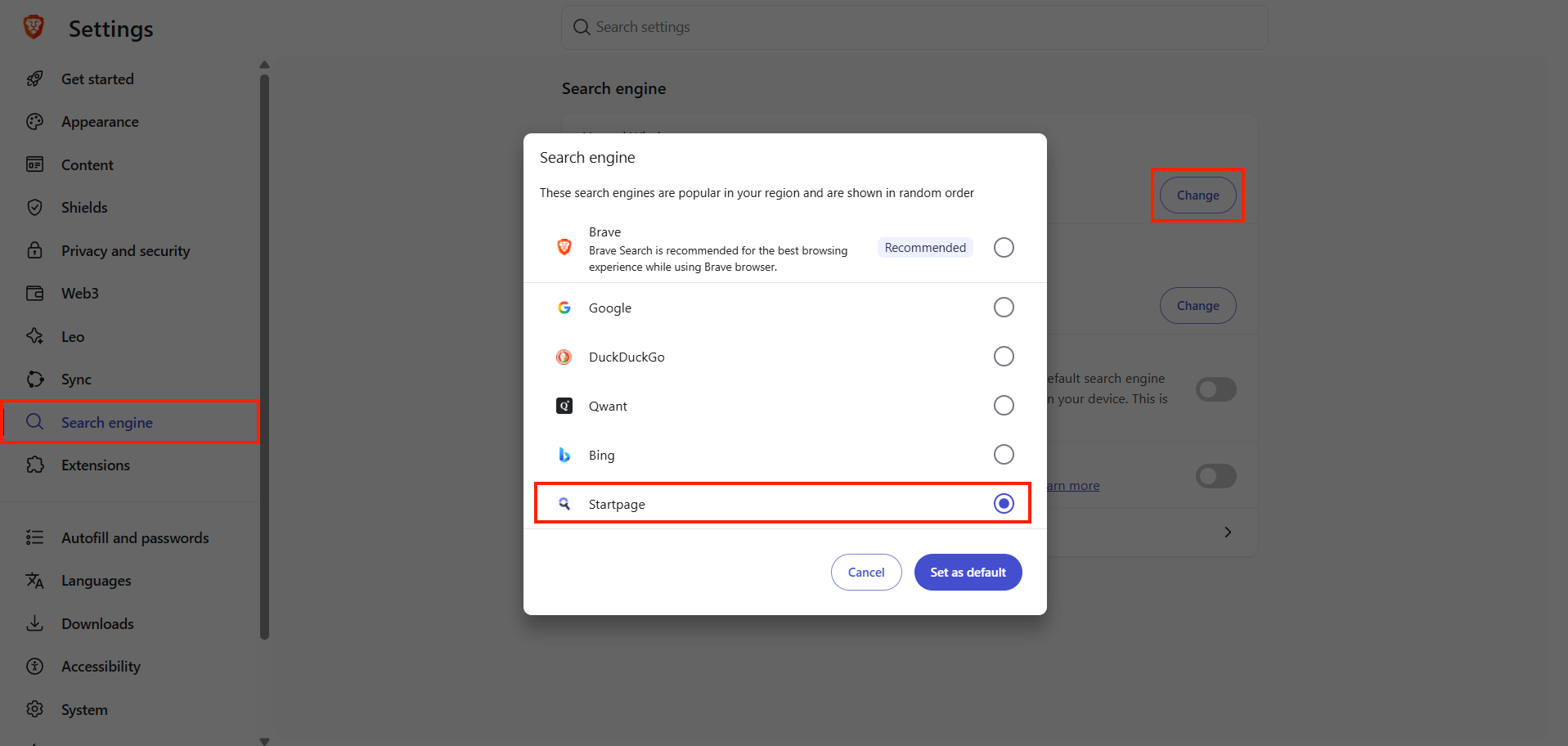
Turning off background apps
Disabling background applications saves your device's performance (and may also extend its battery life). Another benefit is preventing the exploitation of vulnerable plugins after closing Brave.
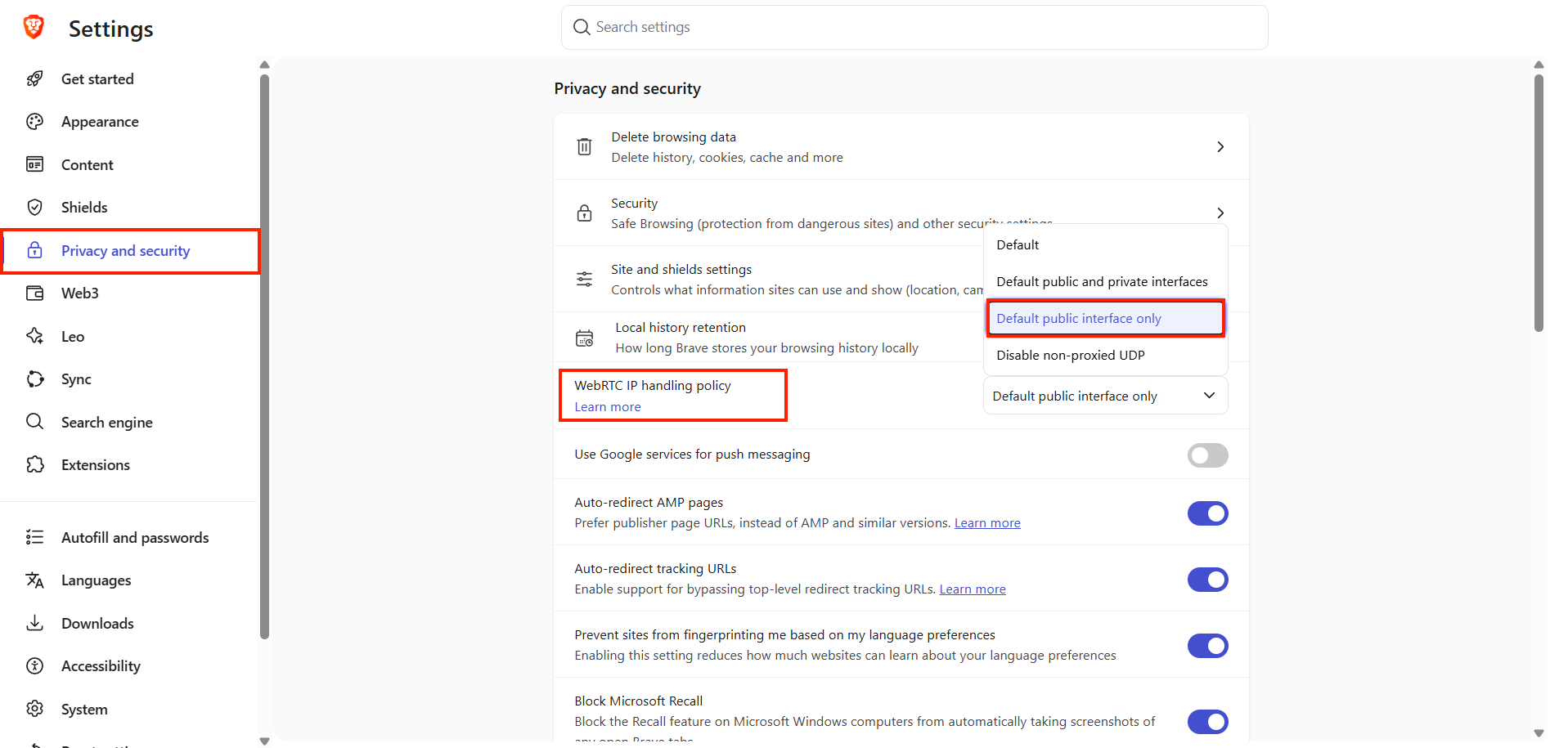
Change WebRTC
When using a browser for video calls (a feature also frequently utilized by websites), we recommend adjusting your WebRTC protocol settings. This protocol facilitates real-time internet communication. If configured incorrectly, an attacker can use this protocol to discover your IP address—even if you are using a VPN.
Using Quad9 as DNS
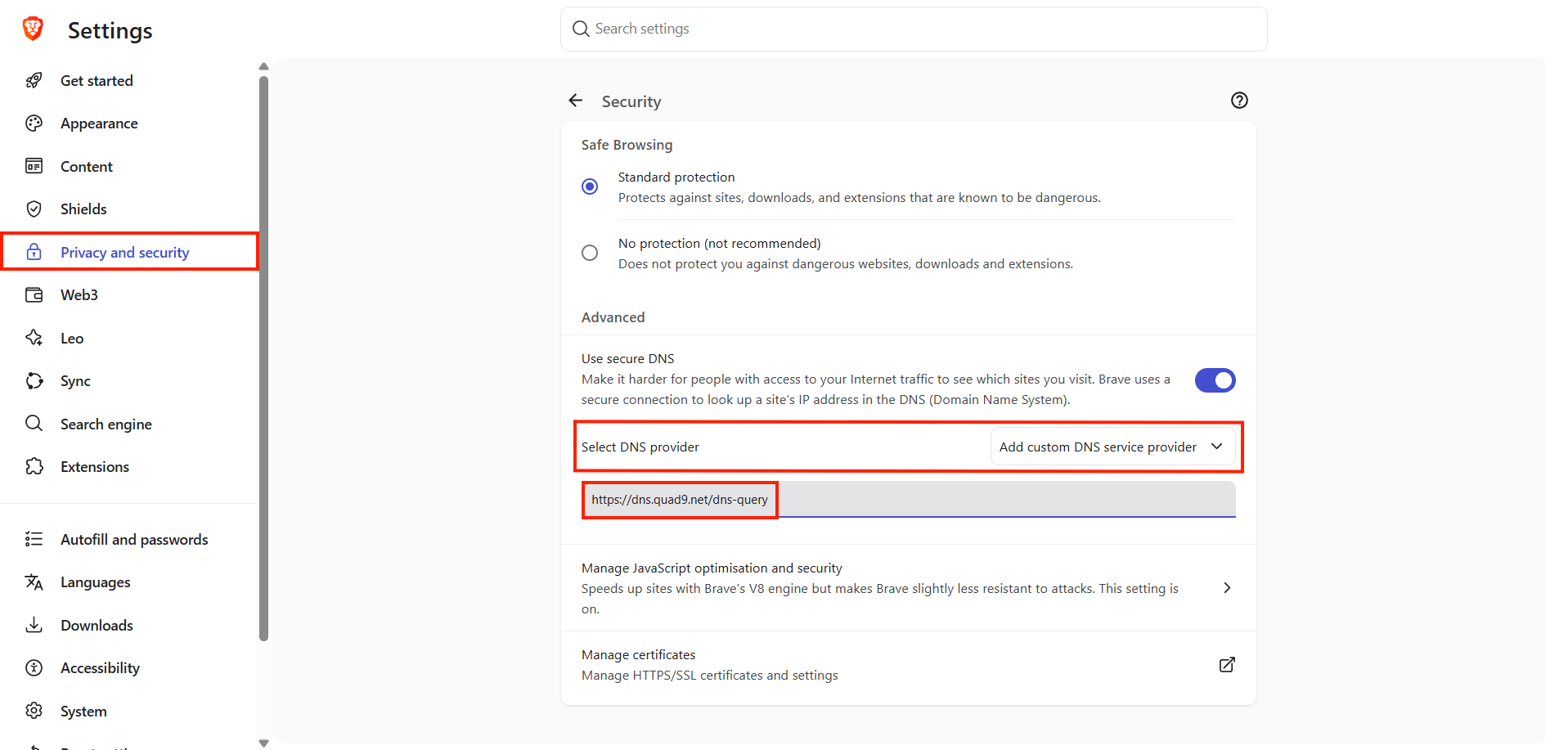
DNS is a server/system that translates domain names into IP addresses (e.g., google.com to 8.8.8.8). In addition, Quad9 DNS blocks websites containing malware and does not store your IP address. Please note that some lesser-known websites may become inaccessible when using Quad9 as your DNS server. In such cases, we recommend reverting to your original settings.
In settings add your own DNS provider and enter this address: https://dns.quad9.net/dns-query
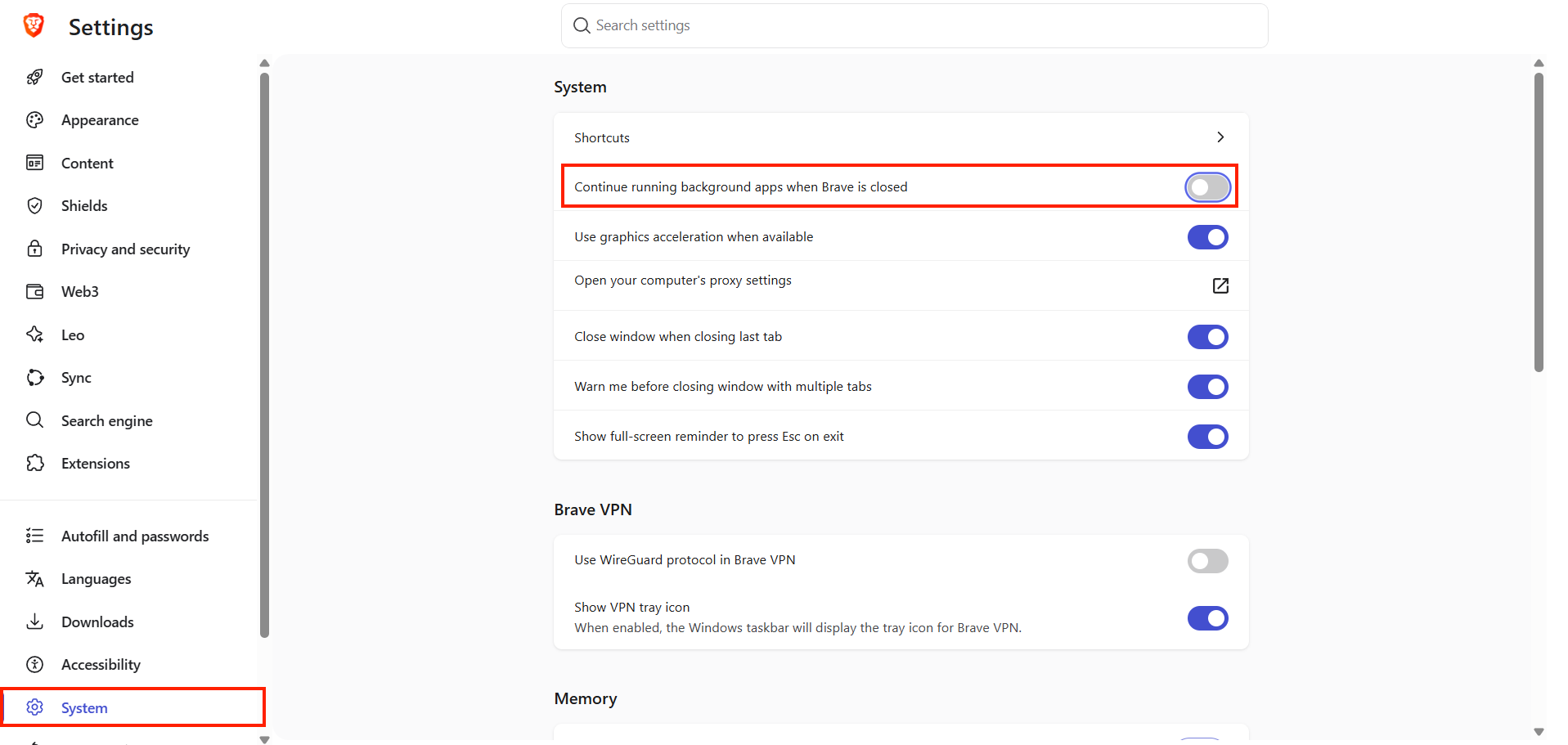
Deleting cookies after closing the page
To enhance your protection against tracking, you can enable an option to delete cookies after closing a page. However, deleting cookies may also lead to undesirable behavior—for example, you might be required to log in again after closing the page, or an online store might fail to remember your shopping cart or the items you have viewed.